


Page 424 - Applied Statistics with R
P. 424
424                           CHAPTER 17. LOGISTIC REGRESSION


                                 After simulating a dataset, we’ll then fit both ordinary linear regression and
                                 logistic regression. Notice that currently the responses variable y is a numeric
                                 variable that only takes values 0 and 1. Later we’ll see that we can also fit
                                 logistic regression when the response is a factor variable with only two levels.
                                 (Generally, having a factor response is preferred, but having a dummy response
                                 allows use to make the comparison to using ordinary linear regression.)

                                 # ordinary linear regression
                                 fit_lm   = lm(y ~ x, data = example_data)
                                 # logistic regression
                                 fit_glm = glm(y ~ x, data = example_data, family = binomial)


                                 Notice that the syntax is extremely similar. What’s changed?

                                    • lm() has become glm()
                                    • We’ve added family = binomial argument

                                 In a lot of ways, lm() is just a more specific version of glm(). For example

                                 glm(y ~ x, data = example_data)


                                 would actually fit the ordinary linear regression that we have seen in the past.
                                 By default, glm() uses family = gaussian argument. That is, we’re fitting
                                 a GLM with a normally distributed response and the identity function as the
                                 link.
                                 The family argument to glm() actually specifies both the distribution and the
                                 link function. If not made explicit, the link function is chosen to be the canon-
                                 ical link function, which is essentially the most mathematical convenient link
                                 function. See ?glm and ?family for details. For example, the following code
                                 explicitly specifies the link function which was previously used by default.

                                 # more detailed call to glm for logistic regression
                                 fit_glm = glm(y ~ x, data = example_data, family = binomial(link = "logit"))


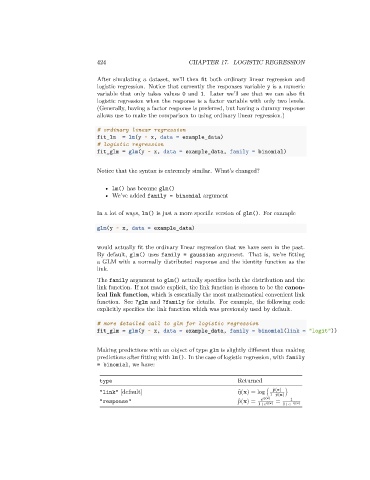
                                 Making predictions with an object of type glm is slightly different than making
                                 predictions after fitting with lm(). In the case of logistic regression, with family
                                 = binomial, we have:


                                  type                                          Returned
                                                                                            ̂   (x)
                                  "link" [default]                               ̂   (x) = log (  1− ̂  (x) )
                                  "response"                                     ̂   (x) =      ̂   (x) ̂   (x) =  1
                                                                                      1+       1+   − ̂  (x)

