


Page 47 - Applied Statistics with R
P. 47
3.2. DATA STRUCTURES                                               47


                      head(mpg, n = 10)


                      ## # A tibble: 10 x 11
                      ##     manufacturer model     displ  year   cyl trans    drv     cty    hwy fl    class
                      ##     <chr>        <chr>     <dbl> <int> <int> <chr>    <chr> <int> <int> <chr> <chr>
                      ##   1 audi         a4          1.8  1999     4 auto(l~ f         18     29 p     comp~
                      ##   2 audi         a4          1.8  1999     4 manual~ f         21     29 p     comp~
                      ##   3 audi         a4          2    2008     4 manual~ f         20     31 p     comp~
                      ##   4 audi         a4          2    2008     4 auto(a~ f         21     30 p     comp~
                      ##   5 audi         a4          2.8  1999     6 auto(l~ f         16     26 p     comp~
                      ##   6 audi         a4          2.8  1999     6 manual~ f         18     26 p     comp~
                      ##   7 audi         a4          3.1  2008     6 auto(a~ f         18     27 p     comp~
                      ##   8 audi         a4 quat~    1.8  1999     4 manual~ 4         18     26 p     comp~
                      ##   9 audi         a4 quat~    1.8  1999     4 auto(l~ 4         16     25 p     comp~
                      ## 10 audi          a4 quat~    2    2008     4 manual~ 4         20     28 p     comp~


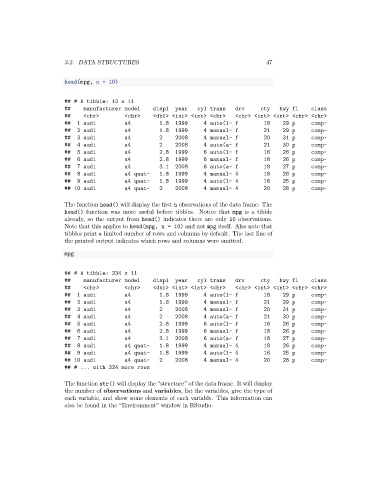
                      The function head() will display the first n observations of the data frame. The
                      head() function was more useful before tibbles. Notice that mpg is a tibble
                      already, so the output from head() indicates there are only 10 observations.
                      Note that this applies to head(mpg, n = 10) and not mpg itself. Also note that
                      tibbles print a limited number of rows and columns by default. The last line of
                      the printed output indicates which rows and columns were omitted.

                      mpg


                      ## # A tibble: 234 x 11
                      ##     manufacturer model     displ  year   cyl trans    drv     cty    hwy fl    class
                      ##     <chr>        <chr>     <dbl> <int> <int> <chr>    <chr> <int> <int> <chr> <chr>
                      ##   1 audi         a4          1.8  1999     4 auto(l~ f         18     29 p     comp~
                      ##   2 audi         a4          1.8  1999     4 manual~ f         21     29 p     comp~
                      ##   3 audi         a4          2    2008     4 manual~ f         20     31 p     comp~
                      ##   4 audi         a4          2    2008     4 auto(a~ f         21     30 p     comp~
                      ##   5 audi         a4          2.8  1999     6 auto(l~ f         16     26 p     comp~
                      ##   6 audi         a4          2.8  1999     6 manual~ f         18     26 p     comp~
                      ##   7 audi         a4          3.1  2008     6 auto(a~ f         18     27 p     comp~
                      ##   8 audi         a4 quat~    1.8  1999     4 manual~ 4         18     26 p     comp~
                      ##   9 audi         a4 quat~    1.8  1999     4 auto(l~ 4         16     25 p     comp~
                      ## 10 audi          a4 quat~    2    2008     4 manual~ 4         20     28 p     comp~
                      ## # ... with 224 more rows

                      The function str() will display the “structure” of the data frame. It will display
                      the number of observations and variables, list the variables, give the type of
                      each variable, and show some elements of each variable. This information can
                      also be found in the “Environment” window in RStudio.

