


Page 64 - Applied Statistics with R
P. 64
64                                CHAPTER 4. SUMMARIZING DATA


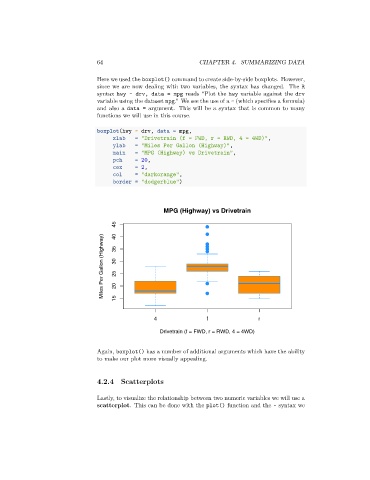
                                 Here we used the boxplot() command to create side-by-side boxplots. However,
                                 since we are now dealing with two variables, the syntax has changed. The R
                                 syntax hwy ~ drv, data = mpg reads “Plot the hwy variable against the drv
                                 variable using the dataset mpg.” We see the use of a ~ (which specifies a formula)
                                 and also a data = argument. This will be a syntax that is common to many
                                 functions we will use in this course.

                                 boxplot(hwy ~ drv, data = mpg,
                                      xlab    = "Drivetrain (f = FWD, r = RWD, 4 = 4WD)",
                                      ylab    = "Miles Per Gallon (Highway)",
                                      main    = "MPG (Highway) vs Drivetrain",
                                      pch     = 20,
                                      cex     = 2,
                                      col     = "darkorange",
                                      border = "dodgerblue")


                                                       MPG (Highway) vs Drivetrain

                                       45  40
                                   Miles Per Gallon (Highway)  35  30  25  20


                                       15


                                                    4                f                r

                                                      Drivetrain (f = FWD, r = RWD, 4 = 4WD)


                                 Again, boxplot() has a number of additional arguments which have the ability
                                 to make our plot more visually appealing.


                                 4.2.4   Scatterplots


                                 Lastly, to visualize the relationship between two numeric variables we will use a
                                 scatterplot. This can be done with the plot() function and the ~ syntax we

