


Page 148 - Python Data Science Handbook
P. 148
Texas       2000    20851820
                                       2010    25145561
                           dtype: int64
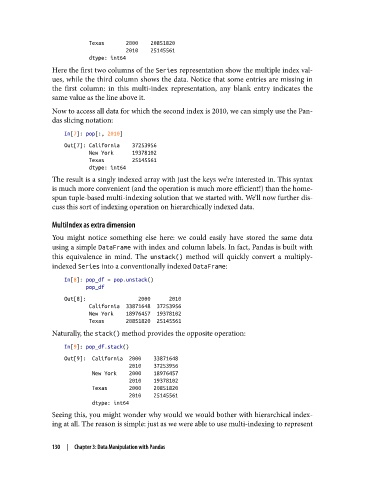
               Here the first two columns of the Series representation show the multiple index val‐
               ues, while the third column shows the data. Notice that some entries are missing in
               the first column: in this multi-index representation, any blank entry indicates the
               same value as the line above it.
               Now to access all data for which the second index is 2010, we can simply use the Pan‐
               das slicing notation:
                   In[7]: pop[:, 2010]
                   Out[7]: California    37253956
                           New York      19378102
                           Texas         25145561
                           dtype: int64
               The result is a singly indexed array with just the keys we’re interested in. This syntax
               is much more convenient (and the operation is much more efficient!) than the home-
               spun tuple-based multi-indexing solution that we started with. We’ll now further dis‐
               cuss this sort of indexing operation on hierarchically indexed data.

               MultiIndex as extra dimension
               You might notice something else here: we could easily have stored the same data
               using a simple DataFrame with index and column labels. In fact, Pandas is built with
               this equivalence in mind. The unstack()  method will quickly convert a multiply-
               indexed Series into a conventionally indexed DataFrame:

                   In[8]: pop_df = pop.unstack()
                          pop_df
                   Out[8]:                 2000      2010
                           California  33871648  37253956
                           New York    18976457  19378102
                           Texas       20851820  25145561
               Naturally, the stack() method provides the opposite operation:

                   In[9]: pop_df.stack()
                   Out[9]:  California  2000    33871648
                                        2010    37253956
                            New York    2000    18976457
                                        2010    19378102
                            Texas       2000    20851820
                                        2010    25145561
                            dtype: int64
               Seeing this, you might wonder why would we would bother with hierarchical index‐
               ing at all. The reason is simple: just as we were able to use multi-indexing to represent


               130  |  Chapter 3: Data Manipulation with Pandas

