


Page 150 - Python Data Science Handbook
P. 150
The work of creating the MultiIndex is done in the background.
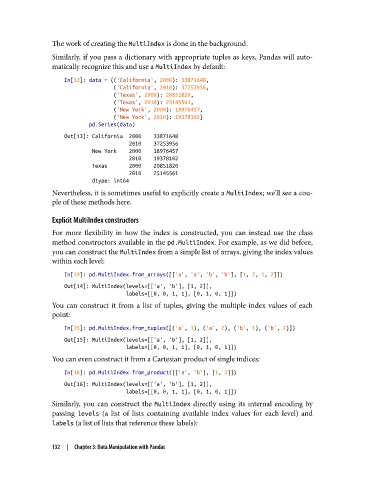
               Similarly, if you pass a dictionary with appropriate tuples as keys, Pandas will auto‐
               matically recognize this and use a MultiIndex by default:
                   In[13]: data = {('California', 2000): 33871648,
                                   ('California', 2010): 37253956,
                                   ('Texas', 2000): 20851820,
                                   ('Texas', 2010): 25145561,
                                   ('New York', 2000): 18976457,
                                   ('New York', 2010): 19378102}
                           pd.Series(data)
                   Out[13]: California  2000    33871648
                                        2010    37253956
                            New York    2000    18976457
                                        2010    19378102
                            Texas       2000    20851820
                                        2010    25145561
                            dtype: int64
               Nevertheless, it is sometimes useful to explicitly create a MultiIndex; we’ll see a cou‐
               ple of these methods here.

               Explicit MultiIndex constructors
               For more flexibility in how the index is constructed, you can instead use the class
               method constructors available in the pd.MultiIndex. For example, as we did before,
               you can construct the MultiIndex from a simple list of arrays, giving the index values
               within each level:

                   In[14]: pd.MultiIndex.from_arrays([['a', 'a', 'b', 'b'], [1, 2, 1, 2]])
                   Out[14]: MultiIndex(levels=[['a', 'b'], [1, 2]],
                                       labels=[[0, 0, 1, 1], [0, 1, 0, 1]])
               You can construct it from a list of tuples, giving the multiple index values of each
               point:

                   In[15]: pd.MultiIndex.from_tuples([('a', 1), ('a', 2), ('b', 1), ('b', 2)])
                   Out[15]: MultiIndex(levels=[['a', 'b'], [1, 2]],
                                       labels=[[0, 0, 1, 1], [0, 1, 0, 1]])
               You can even construct it from a Cartesian product of single indices:

                   In[16]: pd.MultiIndex.from_product([['a', 'b'], [1, 2]])
                   Out[16]: MultiIndex(levels=[['a', 'b'], [1, 2]],
                                       labels=[[0, 0, 1, 1], [0, 1, 0, 1]])
               Similarly, you can construct the MultiIndex  directly using its internal encoding by
               passing levels  (a list of lists containing available index values for each level) and
               labels (a list of lists that reference these labels):


               132  |  Chapter 3: Data Manipulation with Pandas

