


Page 155 - Python Data Science Handbook
P. 155
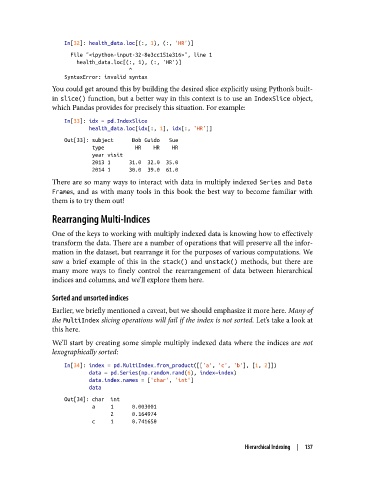
In[32]: health_data.loc[(:, 1), (:, 'HR')]
                     File "<ipython-input-32-8e3cc151e316>", line 1
                       health_data.loc[(:, 1), (:, 'HR')]
                                        ^
                   SyntaxError: invalid syntax
               You could get around this by building the desired slice explicitly using Python’s built-
               in slice() function, but a better way in this context is to use an IndexSlice object,
               which Pandas provides for precisely this situation. For example:
                   In[33]: idx = pd.IndexSlice
                           health_data.loc[idx[:, 1], idx[:, 'HR']]
                   Out[33]: subject      Bob Guido   Sue
                            type          HR    HR    HR
                            year visit
                            2013 1      31.0  32.0  35.0
                            2014 1      30.0  39.0  61.0
               There are so many ways to interact with data in multiply indexed Series and Data
               Frames, and as with many tools in this book the best way to become familiar with
               them is to try them out!
               Rearranging Multi-Indices

               One of the keys to working with multiply indexed data is knowing how to effectively
               transform the data. There are a number of operations that will preserve all the infor‐
               mation in the dataset, but rearrange it for the purposes of various computations. We
               saw a brief example of this in the stack()  and unstack()  methods, but there are
               many more ways to finely control the rearrangement of data between hierarchical
               indices and columns, and we’ll explore them here.

               Sorted and unsorted indices

               Earlier, we briefly mentioned a caveat, but we should emphasize it more here. Many of
               the MultiIndex slicing operations will fail if the index is not sorted. Let’s take a look at
               this here.
               We’ll start by creating some simple multiply indexed data where the indices are not
               lexographically sorted:
                   In[34]: index = pd.MultiIndex.from_product([['a', 'c', 'b'], [1, 2]])
                           data = pd.Series(np.random.rand(6), index=index)
                           data.index.names = ['char', 'int']
                           data
                   Out[34]: char  int
                            a     1      0.003001
                                  2      0.164974
                            c     1      0.741650


                                                                     Hierarchical Indexing  |  137

