


Page 154 - Python Data Science Handbook
P. 154
Multiply indexed DataFrames

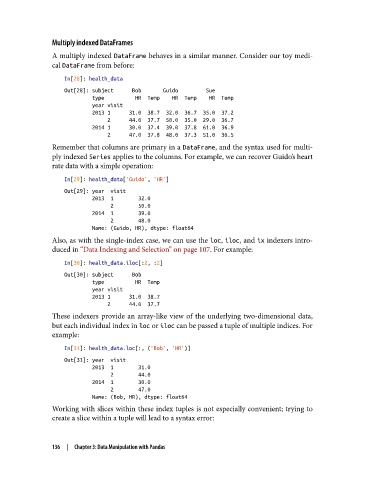
               A multiply indexed DataFrame behaves in a similar manner. Consider our toy medi‐
               cal DataFrame from before:

                   In[28]: health_data
                   Out[28]: subject      Bob       Guido         Sue
                            type          HR  Temp    HR  Temp    HR  Temp
                            year visit
                            2013 1      31.0  38.7  32.0  36.7  35.0  37.2
                                 2      44.0  37.7  50.0  35.0  29.0  36.7
                            2014 1      30.0  37.4  39.0  37.8  61.0  36.9
                                 2      47.0  37.8  48.0  37.3  51.0  36.5
               Remember that columns are primary in a DataFrame, and the syntax used for multi‐
               ply indexed Series applies to the columns. For example, we can recover Guido’s heart
               rate data with a simple operation:
                   In[29]: health_data['Guido', 'HR']
                   Out[29]: year  visit
                            2013  1        32.0
                                  2        50.0
                            2014  1        39.0
                                  2        48.0
                            Name: (Guido, HR), dtype: float64
               Also, as with the single-index case, we can use the loc, iloc, and ix indexers intro‐
               duced in “Data Indexing and Selection” on page 107. For example:

                   In[30]: health_data.iloc[:2, :2]
                   Out[30]: subject      Bob
                            type          HR  Temp
                            year visit
                            2013 1      31.0  38.7
                                 2      44.0  37.7
               These indexers provide an array-like view of the underlying two-dimensional data,
               but each individual index in loc or iloc can be passed a tuple of multiple indices. For
               example:
                   In[31]: health_data.loc[:, ('Bob', 'HR')]

                   Out[31]: year  visit
                            2013  1        31.0
                                  2        44.0
                            2014  1        30.0
                                  2        47.0
                            Name: (Bob, HR), dtype: float64
               Working with slices within these index tuples is not especially convenient; trying to
               create a slice within a tuple will lead to a syntax error:


               136  |  Chapter 3: Data Manipulation with Pandas

