


Page 24 - 18-868 SEO PowerSuite Workflow_VPMGC
P. 24
SEO Workflow


                   Step 2: Specify your target location


               [Skip this step if you are tracking rankings for your own location — in this
               scenario, you’ll get accurate geo-specific ranks in Rank Tracker by default]


               If your target location is different from where you actually are, or if you need to
               track rankings for several specific locations, you can set that up quickly in
               Rank Tracker’s Advanced Search Settings.


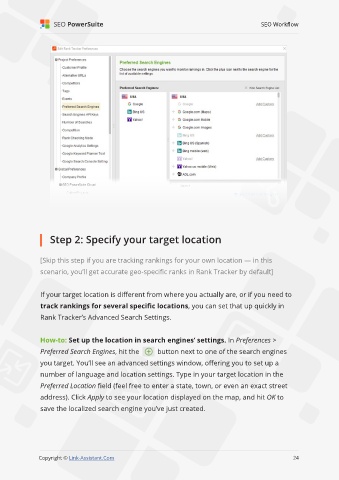
               How-to: Set up the location in search engines’ settings. In Preferences >
               Preferred Search Engines, hit the        button next to one of the search engines
               you target. You’ll see an advanced settings window, offering you to set up a

               number of language and location settings. Type in your target location in the

               Preferred Location field (feel free to enter a state, town, or even an exact street
               address). Click Apply to see your location displayed on the map, and hit OK to
               save the localized search engine you’ve just created.


                                                                                                             24

               Copyright © Link-Assistant.Com                                                           24

