


Page 21 - 18-868 SEO PowerSuite Workflow_VPMGC
P. 21
SEO Workflow


                   Step 5: Build a keyword map


               Now that you’ve picked the most cost-effective target terms for your SEO
               campaign, it’s time to build a keyword map and distribute your keyword groups

               between your site’s pages.


               How-to: Assign keyword to pages. Go through your keyword groups and
               assign them to specific landing pages you’re going to target these groups with.

               To do that, select the keywords you’d like to assign to a page, and hit the Assign

               Keywords To Landing Page button. This way, Rank Tracker will associate specific
               pages of your site with the keyword groups of your choice, letting you know if
               a different page of your site appears in search results instead of the intended

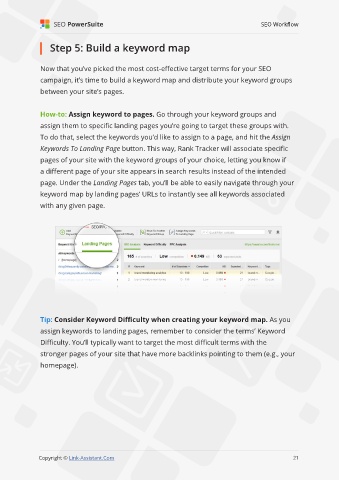
               page. Under the Landing Pages tab, you’ll be able to easily navigate through your

               keyword map by landing pages’ URLs to instantly see all keywords associated
               with any given page.


               Tip: Consider Keyword Difficulty when creating your keyword map. As you

               assign keywords to landing pages, remember to consider the terms’ Keyword
               Difficulty. You’ll typically want to target the most difficult terms with the
               stronger pages of your site that have more backlinks pointing to them (e.g., your

               homepage).


                                                                                                             21

               Copyright © Link-Assistant.Com                                                           21

