


Page 52 - 18-868 SEO PowerSuite Workflow_VPMGC
P. 52
SEO Workflow


               URLs – these can be old pages that are no longer there or simply misspelled
               versions of your URLs. It is critical that you check your site for broken linking to

               ensure search engines and visitors never hit a dead end while navigating through
               your site.


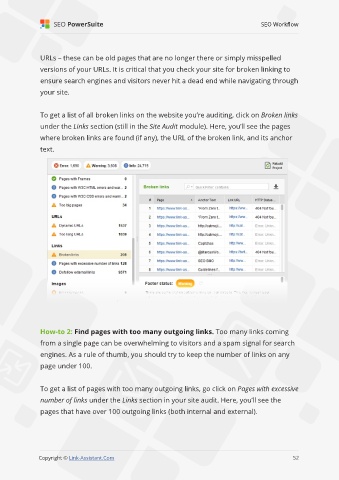
               To get a list of all broken links on the website you’re auditing, click on Broken links

               under the Links section (still in the Site Audit module). Here, you’ll see the pages
               where broken links are found (if any), the URL of the broken link, and its anchor

               text.


               How-to 2: Find pages with too many outgoing links. Too many links coming
               from a single page can be overwhelming to visitors and a spam signal for search

               engines. As a rule of thumb, you should try to keep the number of links on any
               page under 100.


               To get a list of pages with too many outgoing links, go click on Pages with excessive

               number of links under the Links section in your site audit. Here, you’ll see the
               pages that have over 100 outgoing links (both internal and external).


                                                                                                             52

               Copyright © Link-Assistant.Com                                                           52

