


Page 12 - MercNET User's Guide
P. 12
Upload DMS Order or EPC Pick List
        Follow these instructions to upload an order from your DMS (Dealer Management System) or a Pick List from
        the EPC into an order.
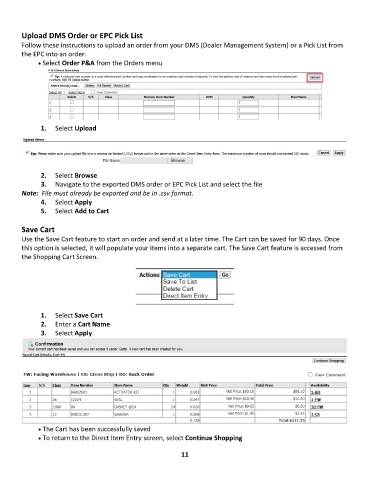
              • •   Select Order P&A from the Orders menu


               1.  Select Upload


               2.  Select Browse
               3.  Navigate to the exported DMS order or EPC Pick List and select the file
        Note:  File must already be exported and be in .csv format.
               4.  Select Apply
               5.  Select Add to Cart

        Save Cart
        Use the Save Cart feature to start an order and send at a later time. The Cart can be saved for 90 days. Once
        this option is selected, it will populate your items into a separate cart. The Save Cart feature is accessed from
        the Shopping Cart Screen.


               1.  Select Save Cart
               2.  Enter a Cart Name
               3.  Select Apply


              • •   The Cart has been successfully saved
              • •   To return to the Direct Item Entry screen, select Continue Shopping

                                                             11

