


Page 13 - MercNET User's Guide
P. 13
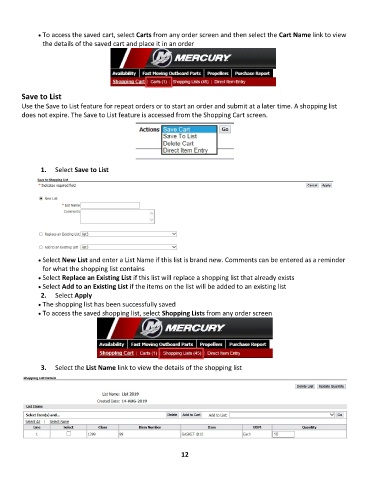
• •   To access the saved cart, select Carts from any order screen and then select the Cart Name link to view
               the details of the saved cart and place it in an order


        Save to List
        Use the Save to List feature for repeat orders or to start an order and submit at a later time. A shopping list
        does not expire. The Save to List feature is accessed from the Shopping Cart screen.


               1.  Select Save to List


              • •   Select New List and enter a List Name if this list is brand new. Comments can be entered as a reminder
               for what the shopping list contains
              • •   Select Replace an Existing List if this list will replace a shopping list that already exists
              • •   Select Add to an Existing List if the items on the list will be added to an existing list
               2.  Select Apply
              • •   The shopping list has been successfully saved
              • •   To access the saved shopping list, select Shopping Lists from any order screen


               3.  Select the List Name link to view the details of the shopping list


                                                             12

