


Page 15 - MercNET User's Guide
P. 15
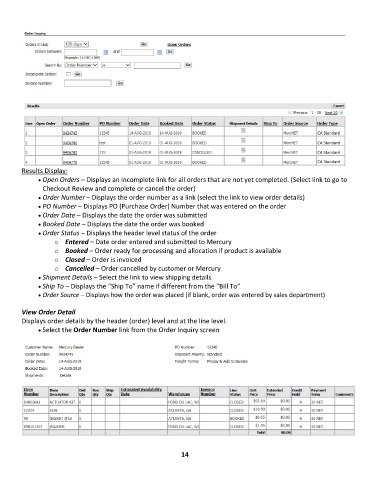
Results Display:
              • •   Open Orders – Displays an incomplete link for all orders that are not yet completed. (Select link to go to
               Checkout Review and complete or cancel the order)
              • •   Order Number – Displays the order number as a link (select the link to view order details)
              • •   PO Number – Displays PO (Purchase Order) Number that was entered on the order
              • •   Order Date – Displays the date the order was submitted
              • •   Booked Date – Displays the date the order was booked
              • •   Order Status – Displays the header level status of the order
                   o  Entered – Date order entered and submitted to Mercury
                   o  Booked – Order ready for processing and allocation if product is available
                   o  Closed – Order is invoiced
                   o  Cancelled – Order cancelled by customer or Mercury
              • •   Shipment Details – Select the link to view shipping details
              • •   Ship To – Displays the “Ship To” name if different from the “Bill To”
              • •   Order Source – Displays how the order was placed (if blank, order was entered by sales department)

        View Order Detail
        Displays order details by the header (order) level and at the line level.
              • •   Select the Order Number link from the Order Inquiry screen


                                                             14

