


Page 32 - Computing book 6
P. 32
Document Creation                                                                    Class 6


               Modifying a Table Using the Layout Tab:

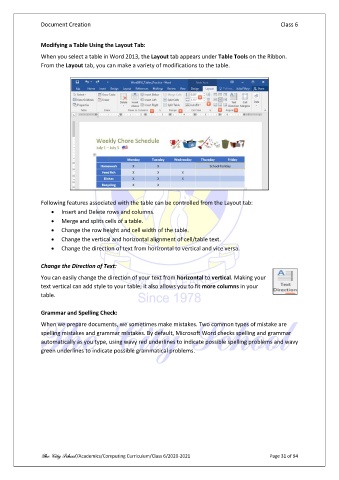
               When you select a table in Word 2013, the Layout tab appears under Table Tools on the Ribbon.
               From the Layout tab, you can make a variety of modifications to the table.


               Following features associated with the table can be controlled from the Layout tab:
                   •  Insert and Delete rows and columns.
                   •  Merge and splits cells of a table.
                   •  Change the row height and cell width of the table.
                   •  Change the vertical and horizontal alignment of cell/table text.
                   •  Change the direction of text from horizontal to vertical and vice versa.

               Change the Direction of Text:
               You can easily change the direction of your text from horizontal to vertical. Making your
               text vertical can add style to your table; it also allows you to fit more columns in your
               table.

               Grammar and Spelling Check:
               When we prepare documents, we sometimes make mistakes. Two common types of mistake are
               spelling mistakes and grammar mistakes. By default, Microsoft Word checks spelling and grammar
               automatically as you type, using wavy red underlines to indicate possible spelling problems and wavy
               green underlines to indicate possible grammatical problems.


               The City School /Academics/Computing Curriculum/Class 6/2020-2021                Page 31 of 94

