


Page 29 - Computing book 6
P. 29
Document Creation                                                                    Class 6


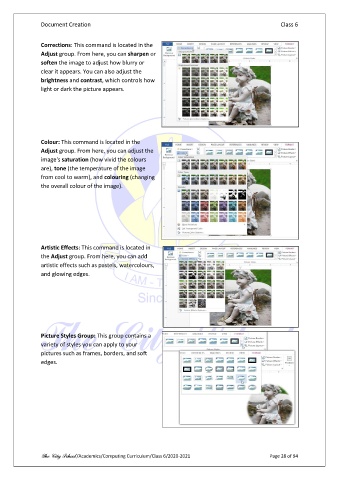
               Corrections: This command is located in the
               Adjust group. From here, you can sharpen or
               soften the image to adjust how blurry or
               clear it appears. You can also adjust the
               brightness and contrast, which controls how
               light or dark the picture appears.


               Colour: This command is located in the
               Adjust group. From here, you can adjust the
               image's saturation (how vivid the colours
               are), tone (the temperature of the image
               from cool to warm), and colouring (changing
               the overall colour of the image).


               Artistic Effects: This command is located in
               the Adjust group. From here, you can add
               artistic effects such as pastels, watercolours,
               and glowing edges.


               Picture Styles Group: This group contains a
               variety of styles you can apply to your
               pictures such as frames, borders, and soft
               edges.


               The City School /Academics/Computing Curriculum/Class 6/2020-2021                Page 28 of 94

