


Page 36 - Computing book 6
P. 36
Document Creation                                                                    Class 6


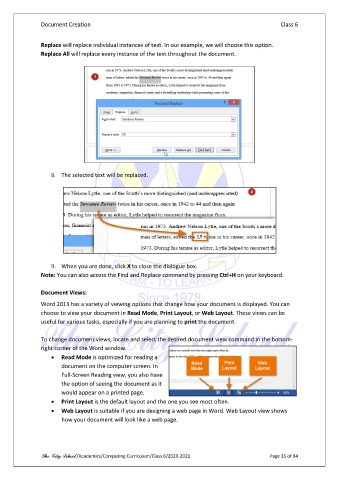
               Replace will replace individual instances of text. In our example, we will choose this option.
               Replace All will replace every instance of the text throughout the document.


                   8.  The selected text will be replaced.


                   9.  When you are done, click X to close the dialogue box.
               Note: You can also access the Find and Replace command by pressing Ctrl+H on your keyboard.

               Document Views:
               Word 2013 has a variety of viewing options that change how your document is displayed. You can
               choose to view your document in Read Mode, Print Layout, or Web Layout. These views can be
               useful for various tasks, especially if you are planning to print the document.

               To change document views, locate and select the desired document view command in the bottom-
               right corner of the Word window.
                   •  Read Mode is optimized for reading a
                       document on the computer screen. In
                       Full-Screen Reading view, you also have
                       the option of seeing the document as it
                       would appear on a printed page.
                   •  Print Layout is the default layout and the one you see most often.
                   •  Web Layout is suitable if you are designing a web page in Word. Web Layout view shows
                       how your document will look like a web page.


               The City School /Academics/Computing Curriculum/Class 6/2020-2021                Page 35 of 94

