


Page 23 - TCS ICT Book 5
P. 23
The City School  2021-2022


           Keep in mind that if you are applying a transition at the beginning of your timeline

           you first need to make sure that you’ve placed a video clip on the timeline. You can
           add a transition to the start (prefix transition) or the end (postfix transition) of any

           video or image on the timeline, or add transitions between clips.


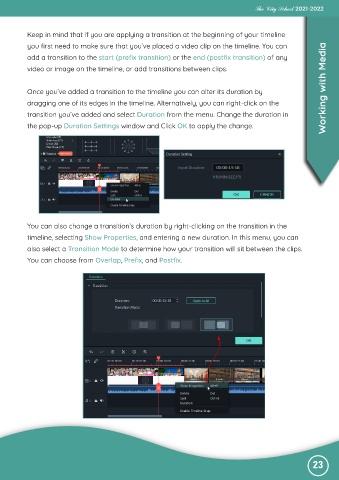
           Once you’ve added a transition to the timeline you can alter its duration by                            Working with Media
           dragging one of its edges in the timeline. Alternatively, you can right-click on the

           transition you’ve added and select Duration from the menu. Change the duration in
           the pop-up Duration Settings window and Click OK to apply the change.


           You can also change a transition’s duration by right-clicking on the transition in the

           timeline, selecting Show Properties, and entering a new duration. In this menu, you can
           also select a Transition Mode to determine how your transition will sit between the clips.

           You can choose from Overlap, Prefix, and Postfix.


                                                                                                               23

