


Page 27 - TCS ICT Book 5
P. 27
The City School  2021-2022


           1.8.  Adding Elements


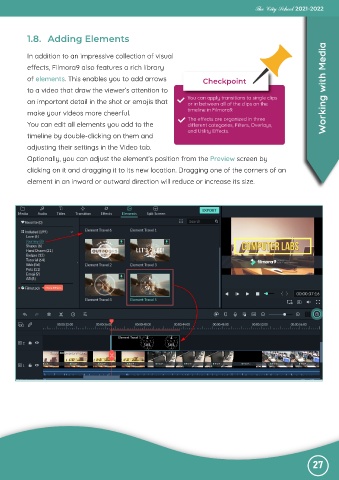
           In addition to an impressive collection of visual

           effects, Filmora9 also features a rich library
           of elements. This enables you to add arrows                  Checkpoint

           to a video that draw the viewer’s attention to                                                          Working with Media
           an important detail in the shot or emojis that          You can apply transitions to single clips
                                                                   or in between all of the clips on the
           make your videos more cheerful.                         timeline in Filmora9.
                                                                   The effects are organized in three
           You can edit all elements you add to the                different categories, Filters, Overlays,
                                                                   and Utility Effects.
           timeline by double-clicking on them and
           adjusting their settings in the Video tab.

           Optionally, you can adjust the element’s position from the Preview screen by
           clicking on it and dragging it to its new location. Dragging one of the corners of an

           element in an inward or outward direction will reduce or increase its size.


                                                                                                               27

