


Page 26 - TCS ICT Book 5
P. 26
The City School  2021-2022


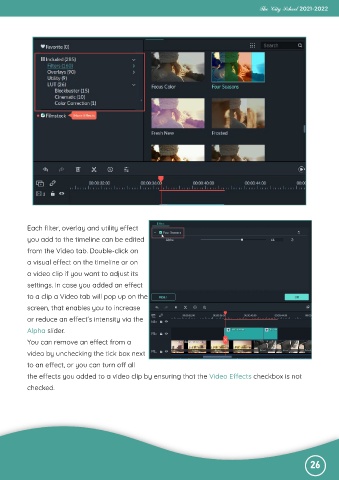
           Each filter, overlay and utility effect
           you add to the timeline can be edited

           from the Video tab. Double-click on
           a visual effect on the timeline or on

           a video clip if you want to adjust its
           settings. In case you added an effect

           to a clip a Video tab will pop up on the
           screen, that enables you to increase

           or reduce an effect’s intensity via the
           Alpha slider.

           You can remove an effect from a
           video by unchecking the tick box next

           to an effect, or you can turn off all
           the effects you added to a video clip by ensuring that the Video Effects checkbox is not

           checked.


                                                                                                              26

