


Page 54 - TCS ICT Book 5
P. 54
The City School  2021-2022


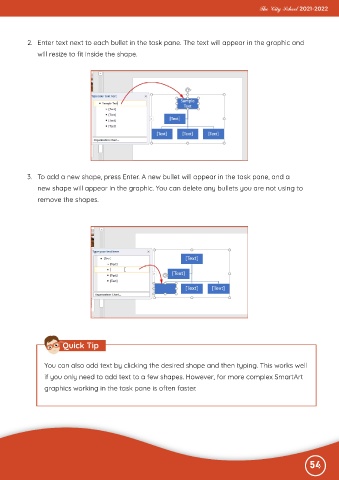
           2.  Enter text next to each bullet in the task pane. The text will appear in the graphic and

              will resize to fit inside the shape.


           3.  To add a new shape, press Enter. A new bullet will appear in the task pane, and a
              new shape will appear in the graphic. You can delete any bullets you are not using to

              remove the shapes.


                       Quick Tip


                 You can also add text by clicking the desired shape and then typing. This works well
                 if you only need to add text to a few shapes. However, for more complex SmartArt

                 graphics working in the task pane is often faster.


                                                                                                              54

