


Page 56 - TCS ICT Book 5
P. 56
The City School  2021-2022


           Inserting a Chart

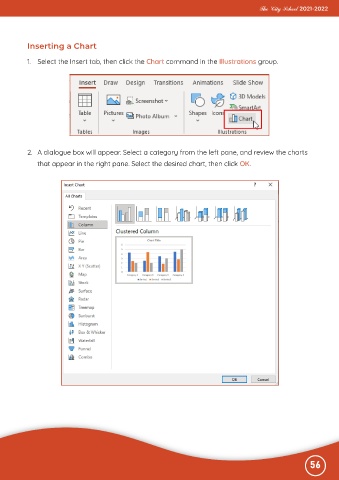
           1.  Select the Insert tab, then click the Chart command in the Illustrations group.


           2.  A dialogue box will appear. Select a category from the left pane, and review the charts

              that appear in the right pane. Select the desired chart, then click OK.


                                                                                                              56

