


Page 59 - TCS ICT Book 4
P. 59
The City School  2021-2022


           3.6.  Inserting Columns Within Dataset


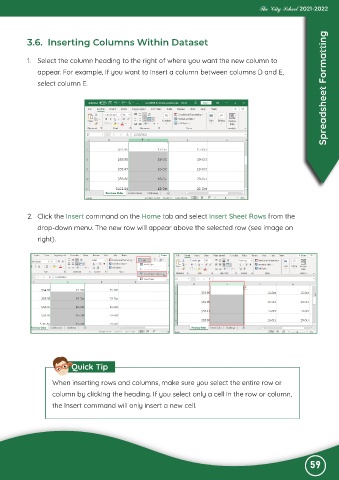
           1.  Select the column heading to the right of where you want the new column to

              appear. For example, if you want to insert a column between columns D and E,
              select column E.                                                                                      Spreadsheet Formatting


           2.  Click the Insert command on the Home tab and select Insert Sheet Rows from the

              drop-down menu. The new row will appear above the selected row (see image on
              right).


                          Quick Tip


                   When inserting rows and columns, make sure you select the entire row or
                   column by clicking the heading. If you select only a cell in the row or column,

                   the Insert command will only insert a new cell.


                                                                                                              59

