


Page 56 - TCS ICT Book 4
P. 56
The City School  2021-2022


           3.3.  Adjusting Row Height


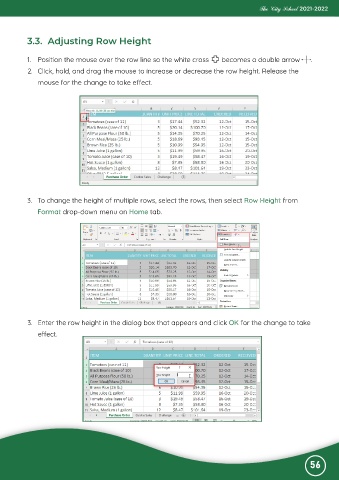
           1.  Position the mouse over the row line so the white cross         becomes a double arrow         .
           2.  Click, hold, and drag the mouse to increase or decrease the row height. Release the

              mouse for the change to take effect.


           3.  To change the height of multiple rows, select the rows, then select Row Height from
              Format drop-down menu on Home tab.


           3.  Enter the row height in the dialog box that appears and click OK for the change to take
              effect.


                                                                                                              56

