


Page 57 - TCS ICT Book 4
P. 57
The City School  2021-2022


           3.4.  Modifying Rows and Columns


           Rather than resizing rows and columns individually, you can modify the height and
           width of every row and column at the same time. This method allows you to set a

           uniform size for every row and column in your worksheet. In our example, we will set
           a uniform row height.                                                                                    Spreadsheet Formatting

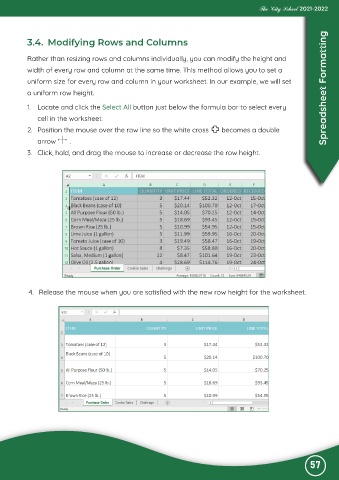
           1.  Locate and click the Select All button just below the formula bar to select every

              cell in the worksheet.
           2.  Position the mouse over the row line so the white cross         becomes a double

              arrow       .
           3.  Click, hold, and drag the mouse to increase or decrease the row height.


           4.  Release the mouse when you are satisfied with the new row height for the worksheet.


                                                                                                              57

