


Page 58 - TCS ICT Book 4
P. 58
The City School  2021-2022


           3.5.  Inserting Rows Within Dataset


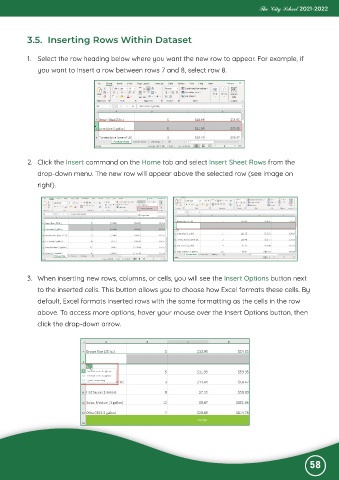
           1.  Select the row heading below where you want the new row to appear. For example, if
              you want to insert a row between rows 7 and 8, select row 8.


           2.  Click the Insert command on the Home tab and select Insert Sheet Rows from the

              drop-down menu. The new row will appear above the selected row (see image on
              right).


           3.  When inserting new rows, columns, or cells, you will see the Insert Options button next
              to the inserted cells. This button allows you to choose how Excel formats these cells. By

              default, Excel formats inserted rows with the same formatting as the cells in the row
              above. To access more options, hover your mouse over the Insert Options button, then

              click the drop-down arrow.


                                                                                                              58

