


Page 61 - TCS ICT Book 4
P. 61
The City School  2021-2022


           Merge and Center


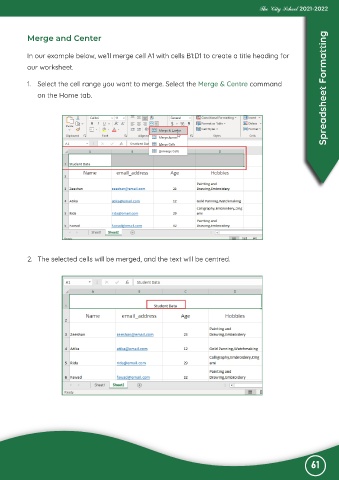
           In our example below, we’ll merge cell A1 with cells B1:D1 to create a title heading for

           our worksheet.

           1.  Select the cell range you want to merge. Select the Merge & Centre command                           Spreadsheet Formatting

              on the Home tab.


           2.  The selected cells will be merged, and the text will be centred.


                                                                                                              61

