


Page 62 - TCS ICT Book 4
P. 62
The City School  2021-2022


           3.8.  Text Alignment


           By default, any text entered into your worksheet will be aligned to the bottom-left of a cell,
           while any numbers will be aligned to the bottom right. Changing the alignment of your
           cell content allows you to choose how the content is displayed in any cell, which can make

           your cell content easier to read.


           Horizontal Text Alignment


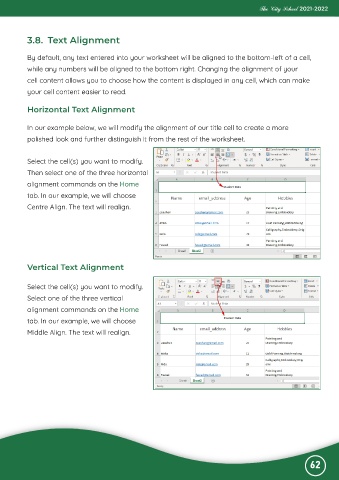
           In our example below, we will modify the alignment of our title cell to create a more
           polished look and further distinguish it from the rest of the worksheet.


           Select the cell(s) you want to modify.

           Then select one of the three horizontal
           alignment commands on the Home

           tab. In our example, we will choose
           Centre Align. The text will realign.


           Vertical Text Alignment


           Select the cell(s) you want to modify.
           Select one of the three vertical

           alignment commands on the Home
           tab. In our example, we will choose

           Middle Align. The text will realign.


                                                                                                              62

