


Page 65 - TCS ICT Book 4
P. 65
The City School  2021-2022


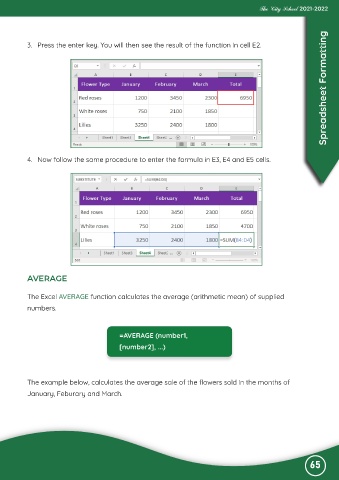
           3.  Press the enter key. You will then see the result of the function in cell E2.                        Spreadsheet Formatting


           4.  Now follow the same procedure to enter the formula in E3, E4 and E5 cells.


           AVERAGE


           The Excel AVERAGE function calculates the average (arithmetic mean) of supplied
           numbers.


                                           =AVERAGE (number1,

                                           [number2], ...)


           The example below, calculates the average sale of the flowers sold in the months of
           January, Feburary and March.


                                                                                                              65

