


Page 117 - Learn To Program With Scratch
P. 117
it represents. For example, if we have a box (that is, a variable) named
                          side that contains the number 50, we can construct a command such as
                          move (3*side) steps. When Scratch executes this command, it will locate
                          the box named side in computer memory, grab its contents (in this case, the
                          number 50), and use that value to replace the side label inside the move
                          (3*side) steps block. As a result, the sprite will move 150 (that is, 3 × 50)
                          steps.
                             In our Whac-a-Mole game, we need a way to remember the player’s
                          score. To do that, we can reserve some space in the computer’s memory
                          (like a box) to store the score. We also need to give that box a unique label,
                          let’s say score, which will let us find it whenever we need to know or change
                          what’s inside.
                             When the game starts, we’ll tell Scratch to “set score to 0,” and Scratch
                          will look for the box labeled score and put the value 0 inside it. We’ll also
                          tell Scratch to “increase score by 1” any time the player clicks on the sprite.
                          In response to the first click, Scratch will look inside the score box again,
                          find our 0, add 1 to it, and put the result (which is 1) back in the box.
                          The next time the player clicks on the sprite, Scratch will again follow our
                          “increase score by 1” command to increment score and store the resulting
                          value of 2 in the box.
                             You’ll see the actual Scratch blocks for these operations in a moment.
                          For now, notice that the value of score changes throughout the program.
                          This is why we call it a variable—its value varies.
                             One important use of variables is to store the intermediary results of
                          evaluating an algebraic expression. This is similar to the way you do mental
                          math. For example, if you were asked to find 2 + 4 + 5 + 7, you might start
                          by adding 2 + 4 and memorizing the answer (6). You’d then add 5 to the
                          previous answer (which is stored in your memory) and memorize the new
                          answer, which is 11. Finally, you’d add 7 to the previous result to get the
                          final answer of 18.
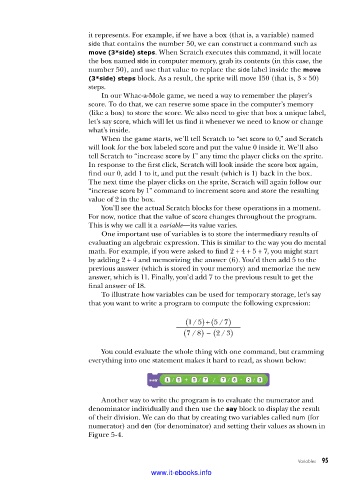
                             To illustrate how variables can be used for temporary storage, let’s say
                          that you want to write a program to compute the following expression:

                                                     (  15)  /  + (  57)  /
                                                    (  78 – )  /  (  23)  /

                             You could evaluate the whole thing with one command, but cramming
                          everything into one statement makes it hard to read, as shown below:


                             Another way to write the program is to evaluate the numerator and
                          denominator individually and then use the say block to display the result
                          of their division. We can do that by creating two variables called num (for
                          numerator) and den (for denominator) and setting their values as shown in
                          Figure 5-4.


                                                                                    Variables   95

                                           www.it-ebooks.info

