


Page 267 - Basic Course
P. 267
KNX BASIC COURSE


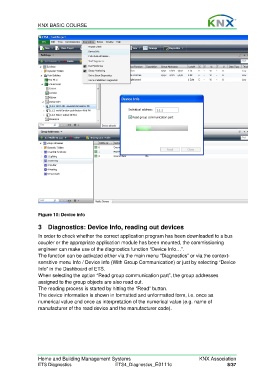
                  Figure 10: Device info

                  3  Diagnostics: Device Info, reading out devices

                  In order to check whether the correct application program has been downloaded to a bus
                  coupler or the appropriate application module has been mounted, the commissioning
                  engineer can make use of the diagnostics function “Device Info…”.
                  The function can be activated either via the main menu “Diagnostics” or via the context-
                  sensitive menu Info / Device info (With Group Communication) or just by selecting “Device
                  Info” in the Dashboard of ETS.
                  When selecting the option “Read group communication part”, the group addresses
                  assigned to the group objects are also read out.
                  The reading process is started by hitting the “Read” button.
                  The device information is shown in formatted and unformatted form, i.e. once as
                  numerical value and once as interpretation of the numerical value (e.g. name of
                  manufacturer of the read device and the manufacturer code).


                  Home and Building Management Systems                                    KNX Association
                  ETS Diagnostics                   ETS4_Diagnostics_E0111c                           8/37

