


Page 269 - Basic Course
P. 269
KNX BASIC COURSE


                  Group Communication             (if “Read group communication part” was selected)
                  Per group object                Indication of the object number; in brackets the object
                                                  size, the set flags and the priority of the group object as
                                                  well as all the group addresses assigned to the group
                                                  object

                  If errors occur when executing “Device info”, which are not remedied by renewed
                  downloading of the KNX device, one should contact the hotline of the relevant
                  manufacturer.


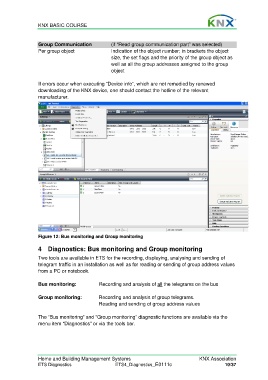
                  Figure 12: Bus monitoring and Group monitoring

                  4  Diagnostics: Bus monitoring and Group monitoring

                  Two tools are available in ETS for the recording, displaying, analysing and sending of
                  telegram traffic in an installation as well as for reading or sending of group address values
                  from a PC or notebook.

                  Bus monitoring:            Recording and analysis of all the telegrams on the bus

                  Group monitoring:          Recording and analysis of group telegrams.
                                             Reading and sending of group address values

                  The “Bus monitoring” and “Group monitoring” diagnostic functions are available via the
                  menu item “Diagnostics” or via the tools bar.


                  Home and Building Management Systems                                    KNX Association
                  ETS Diagnostics                   ETS4_Diagnostics_E0111c                          10/37

