


Page 283 - Basic Course
P. 283
KNX BASIC COURSE


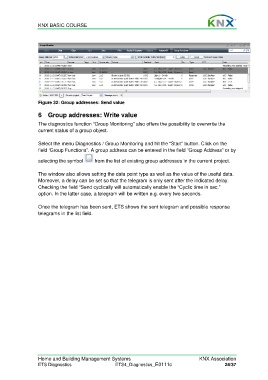
                  Figure 32: Group addresses: Send value

                  6  Group addresses: Write value

                  The diagnostics function “Group Monitoring” also offers the possibility to overwrite the
                  current status of a group object.

                  Select the menu Diagnostics / Group Monitoring and hit the “Start” button. Click on the
                  field ‘Group Functions”. A group address can be entered in the field “Group Address” or by

                  selecting the symbol     from the list of existing group addresses in the current project.

                  The window also allows setting the data point type as well as the value of the useful data.
                  Moreover, a delay can be set so that the telegram is only sent after the indicated delay.
                  Checking the field “Send cyclically will automatically enable the “Cyclic time in sec.”
                  option. In the latter case, a telegram will be written e.g. every two seconds.

                  Once the telegram has been sent, ETS shows the sent telegram and possible response
                  telegrams in the list field.


                  Home and Building Management Systems                                    KNX Association
                  ETS Diagnostics                   ETS4_Diagnostics_E0111c                          24/37

