


Page 36 - Receptionist
P. 36
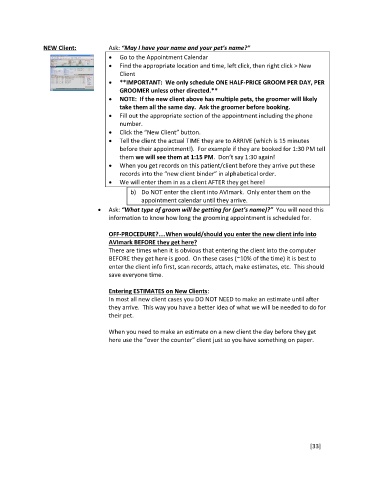
NEW Client: Ask: “May I have your name and your pet’s name?”
Go to the Appointment Calendar
Find the appropriate location and time, left click, then right click > New
Client
**IMPORTANT: We only schedule ONE HALF-PRICE GROOM PER DAY, PER
GROOMER unless other directed.**
NOTE: If the new client above has multiple pets, the groomer will likely
take them all the same day. Ask the groomer before booking.
Fill out the appropriate section of the appointment including the phone
number.
Click the “New Client” button.
Tell the client the actual TIME they are to ARRIVE (which is 15 minutes
before their appointment!). For example if they are booked for 1:30 PM tell
them we will see them at 1:15 PM. Don’t say 1:30 again!
When you get records on this patient/client before they arrive put these
records into the “new client binder” in alphabetical order.
We will enter them in as a client AFTER they get here!
b) Do NOT enter the client into AVImark. Only enter them on the
appointment calendar until they arrive.
Ask: “What type of groom will be getting for (pet’s name)?” You will need this
information to know how long the grooming appointment is scheduled for.
OFF-PROCEDURE?....When would/should you enter the new client info into
AVImark BEFORE they get here?
There are times when it is obvious that entering the client into the computer
BEFORE they get here is good. On these cases (~10% of the time) it is best to
enter the client info first, scan records, attach, make estimates, etc. This should
save everyone time.
Entering ESTIMATES on New Clients:
In most all new client cases you DO NOT NEED to make an estimate until after
they arrive. This way you have a better idea of what we will be needed to do for
their pet.
When you need to make an estimate on a new client the day before they get
here use the “over the counter” client just so you have something on paper.
[33]

