


Page 160 - Python Data Science Handbook
P. 160
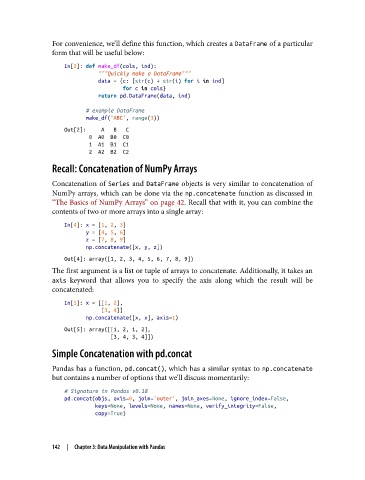
For convenience, we’ll define this function, which creates a DataFrame of a particular
               form that will be useful below:

                   In[2]: def make_df(cols, ind):
                              """Quickly make a DataFrame"""
                              data = {c: [str(c) + str(i) for i in ind]
                                      for c in cols}
                              return pd.DataFrame(data, ind)
                          # example DataFrame
                          make_df('ABC', range(3))
                   Out[2]:     A   B   C
                           0  A0  B0  C0
                           1  A1  B1  C1
                           2  A2  B2  C2
               Recall: Concatenation of NumPy Arrays

               Concatenation of Series  and DataFrame  objects is very similar to concatenation of
               NumPy arrays, which can be done via the np.concatenate function as discussed in
               “The Basics of NumPy Arrays” on page 42. Recall that with it, you can combine the
               contents of two or more arrays into a single array:
                   In[4]: x = [1, 2, 3]
                          y = [4, 5, 6]
                          z = [7, 8, 9]
                          np.concatenate([x, y, z])
                   Out[4]: array([1, 2, 3, 4, 5, 6, 7, 8, 9])
               The first argument is a list or tuple of arrays to concatenate. Additionally, it takes an
               axis  keyword that allows you to specify the axis along which the result will be
               concatenated:

                   In[5]: x = [[1, 2],
                               [3, 4]]
                          np.concatenate([x, x], axis=1)
                   Out[5]: array([[1, 2, 1, 2],
                                  [3, 4, 3, 4]])
               Simple Concatenation with pd.concat

               Pandas has a function, pd.concat(), which has a similar syntax to np.concatenate
               but contains a number of options that we’ll discuss momentarily:

                   # Signature in Pandas v0.18
                   pd.concat(objs, axis=0, join='outer', join_axes=None, ignore_index=False,
                             keys=None, levels=None, names=None, verify_integrity=False,
                             copy=True)


               142  |  Chapter 3: Data Manipulation with Pandas

