


Page 31 - Python Data Science Handbook
P. 31
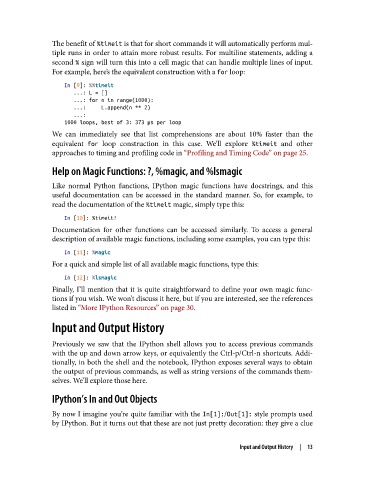
The benefit of %timeit is that for short commands it will automatically perform mul‐
               tiple runs in order to attain more robust results. For multiline statements, adding a
               second % sign will turn this into a cell magic that can handle multiple lines of input.
               For example, here’s the equivalent construction with a for loop:
                   In [9]: %%timeit
                      ...: L = []
                      ...: for n in range(1000):
                      ...:     L.append(n ** 2)
                      ...:
                   1000 loops, best of 3: 373 µs per loop
               We can immediately see that list comprehensions are about 10% faster than the
               equivalent for  loop construction in this case. We’ll explore %timeit  and other
               approaches to timing and profiling code in “Profiling and Timing Code” on page 25.

               Help on Magic Functions: ?, %magic, and %lsmagic

               Like normal Python functions, IPython magic functions have docstrings, and this
               useful documentation can be accessed in the standard manner. So, for example, to
               read the documentation of the %timeit magic, simply type this:

                   In [10]: %timeit?
               Documentation for other functions can be accessed similarly. To access a general
               description of available magic functions, including some examples, you can type this:

                   In [11]: %magic
               For a quick and simple list of all available magic functions, type this:
                   In [12]: %lsmagic
               Finally, I’ll mention that it is quite straightforward to define your own magic func‐
               tions if you wish. We won’t discuss it here, but if you are interested, see the references
               listed in “More IPython Resources” on page 30.

               Input and Output History

               Previously we saw that the IPython shell allows you to access previous commands
               with the up and down arrow keys, or equivalently the Ctrl-p/Ctrl-n shortcuts. Addi‐
               tionally, in both the shell and the notebook, IPython exposes several ways to obtain
               the output of previous commands, as well as string versions of the commands them‐
               selves. We’ll explore those here.

               IPython’s In and Out Objects
               By now I imagine you’re quite familiar with the In[1]:/Out[1]: style prompts used
               by IPython. But it turns out that these are not just pretty decoration: they give a clue


                                                                   Input and Output History  |  13

