


Page 26 - Python Data Science Handbook
P. 26
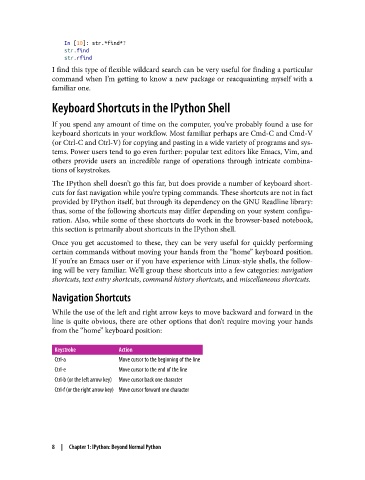
In [10]: str.*find*?
                   str.find
                   str.rfind
               I find this type of flexible wildcard search can be very useful for finding a particular
               command when I’m getting to know a new package or reacquainting myself with a
               familiar one.

               Keyboard Shortcuts in the IPython Shell

               If you spend any amount of time on the computer, you’ve probably found a use for
               keyboard shortcuts in your workflow. Most familiar perhaps are Cmd-C and Cmd-V
               (or Ctrl-C and Ctrl-V) for copying and pasting in a wide variety of programs and sys‐
               tems. Power users tend to go even further: popular text editors like Emacs, Vim, and
               others provide users an incredible range of operations through intricate combina‐
               tions of keystrokes.

               The IPython shell doesn’t go this far, but does provide a number of keyboard short‐
               cuts for fast navigation while you’re typing commands. These shortcuts are not in fact
               provided by IPython itself, but through its dependency on the GNU Readline library:
               thus, some of the following shortcuts may differ depending on your system configu‐
               ration. Also, while some of these shortcuts do work in the browser-based notebook,
               this section is primarily about shortcuts in the IPython shell.
               Once you get accustomed to these, they can be very useful for quickly performing
               certain commands without moving your hands from the “home” keyboard position.
               If you’re an Emacs user or if you have experience with Linux-style shells, the follow‐
               ing will be very familiar. We’ll group these shortcuts into a few categories: navigation
               shortcuts, text entry shortcuts, command history shortcuts, and miscellaneous shortcuts.

               Navigation Shortcuts

               While the use of the left and right arrow keys to move backward and forward in the
               line is quite obvious, there are other options that don’t require moving your hands
               from the “home” keyboard position:


                Keystroke         Action
                Ctrl-a            Move cursor to the beginning of the line
                Ctrl-e            Move cursor to the end of the line
                Ctrl-b (or the left arrow key)  Move cursor back one character
                Ctrl-f (or the right arrow key) Move cursor forward one character


               8  |  Chapter 1: IPython: Beyond Normal Python

