


Page 310 - Python Data Science Handbook
P. 310
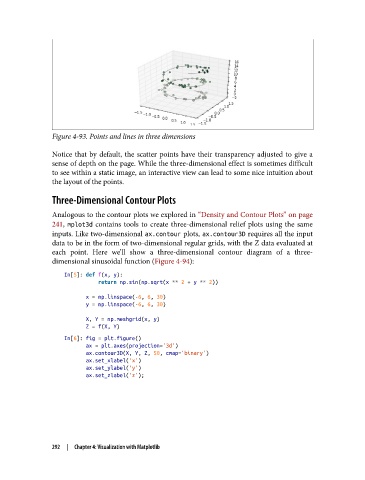
Figure 4-93. Points and lines in three dimensions

               Notice that by default, the scatter points have their transparency adjusted to give a
               sense of depth on the page. While the three-dimensional effect is sometimes difficult
               to see within a static image, an interactive view can lead to some nice intuition about
               the layout of the points.

               Three-Dimensional Contour Plots

               Analogous to the contour plots we explored in “Density and Contour Plots” on page
               241, mplot3d  contains tools to create three-dimensional relief plots using the same
               inputs. Like two-dimensional ax.contour plots, ax.contour3D requires all the input
               data to be in the form of two-dimensional regular grids, with the Z data evaluated at
               each point. Here we’ll show a three-dimensional contour diagram of a three-
               dimensional sinusoidal function (Figure 4-94):

                   In[5]: def f(x, y):
                              return np.sin(np.sqrt(x ** 2 + y ** 2))

                          x = np.linspace(-6, 6, 30)
                          y = np.linspace(-6, 6, 30)
                          X, Y = np.meshgrid(x, y)
                          Z = f(X, Y)
                   In[6]: fig = plt.figure()
                          ax = plt.axes(projection='3d')
                          ax.contour3D(X, Y, Z, 50, cmap='binary')
                          ax.set_xlabel('x')
                          ax.set_ylabel('y')
                          ax.set_zlabel('z');


               292  |  Chapter 4: Visualization with Matplotlib

