


Page 367 - Python Data Science Handbook
P. 367
These are examples of the important choices that must be made once the model
                     class is selected. These choices are often represented as hyperparameters, or
                     parameters that must be set before the model is fit to data. In Scikit-Learn, we
                     choose hyperparameters by passing values at model instantiation. We will
                     explore how you can quantitatively motivate the choice of hyperparameters in
                     “Hyperparameters and Model Validation” on page 359.

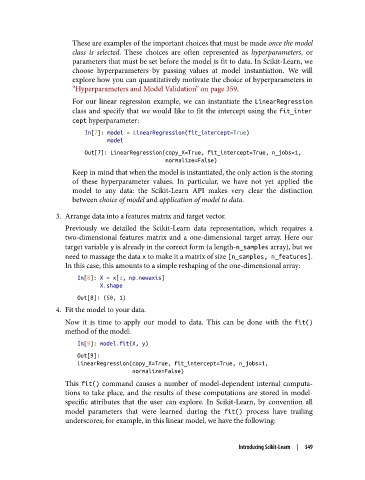
                     For our linear regression example, we can instantiate the LinearRegression
                     class and specify that we would like to fit the intercept using the fit_inter
                     cept hyperparameter:
                        In[7]: model = LinearRegression(fit_intercept=True)
                               model
                        Out[7]: LinearRegression(copy_X=True, fit_intercept=True, n_jobs=1,
                                                 normalize=False)
                     Keep in mind that when the model is instantiated, the only action is the storing
                     of these hyperparameter values. In particular, we have not yet applied the
                     model to any data: the Scikit-Learn API makes very clear the distinction
                     between choice of model and application of model to data.
                3. Arrange data into a features matrix and target vector.
                   Previously we detailed the Scikit-Learn data representation, which requires a
                   two-dimensional features matrix and a one-dimensional target array. Here our
                   target variable y is already in the correct form (a length-n_samples array), but we
                   need to massage the data x to make it a matrix of size [n_samples, n_features].
                   In this case, this amounts to a simple reshaping of the one-dimensional array:
                      In[8]: X = x[:, np.newaxis]
                             X.shape
                      Out[8]: (50, 1)
                4. Fit the model to your data.

                   Now it is time to apply our model to data. This can be done with the fit()
                   method of the model:

                      In[9]: model.fit(X, y)
                      Out[9]:
                      LinearRegression(copy_X=True, fit_intercept=True, n_jobs=1,
                                       normalize=False)

                   This fit()  command causes a number of model-dependent internal computa‐
                   tions to take place, and the results of these computations are stored in model-
                   specific attributes that the user can explore. In Scikit-Learn, by convention all
                   model parameters that were learned during the fit()  process have trailing
                   underscores; for example, in this linear model, we have the following:


                                                                   Introducing Scikit-Learn  |  349

