


Page 378 - Python Data Science Handbook
P. 378
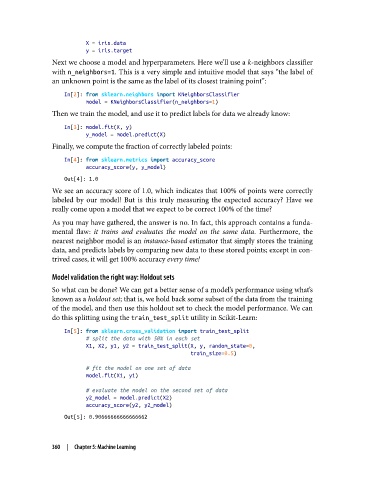
X = iris.data
                          y = iris.target
               Next we choose a model and hyperparameters. Here we’ll use a k-neighbors classifier
               with n_neighbors=1. This is a very simple and intuitive model that says “the label of
               an unknown point is the same as the label of its closest training point”:

                   In[2]: from sklearn.neighbors import KNeighborsClassifier
                          model = KNeighborsClassifier(n_neighbors=1)
               Then we train the model, and use it to predict labels for data we already know:
                   In[3]: model.fit(X, y)
                          y_model = model.predict(X)
               Finally, we compute the fraction of correctly labeled points:

                   In[4]: from sklearn.metrics import accuracy_score
                          accuracy_score(y, y_model)
                   Out[4]: 1.0
               We see an accuracy score of 1.0, which indicates that 100% of points were correctly
               labeled by our model! But is this truly measuring the expected accuracy? Have we
               really come upon a model that we expect to be correct 100% of the time?
               As you may have gathered, the answer is no. In fact, this approach contains a funda‐
               mental flaw: it trains and evaluates the model on the same data. Furthermore, the
               nearest neighbor model is an instance-based estimator that simply stores the training
               data, and predicts labels by comparing new data to these stored points; except in con‐
               trived cases, it will get 100% accuracy every time!

               Model validation the right way: Holdout sets
               So what can be done? We can get a better sense of a model’s performance using what’s
               known as a holdout set; that is, we hold back some subset of the data from the training
               of the model, and then use this holdout set to check the model performance. We can
               do this splitting using the train_test_split utility in Scikit-Learn:
                   In[5]: from sklearn.cross_validation import train_test_split
                          # split the data with 50% in each set
                          X1, X2, y1, y2 = train_test_split(X, y, random_state=0,
                                                            train_size=0.5)

                          # fit the model on one set of data
                          model.fit(X1, y1)

                          # evaluate the model on the second set of data
                          y2_model = model.predict(X2)
                          accuracy_score(y2, y2_model)
                   Out[5]: 0.90666666666666662


               360  |  Chapter 5: Machine Learning

