


Page 92 - Python Data Science Handbook
P. 92
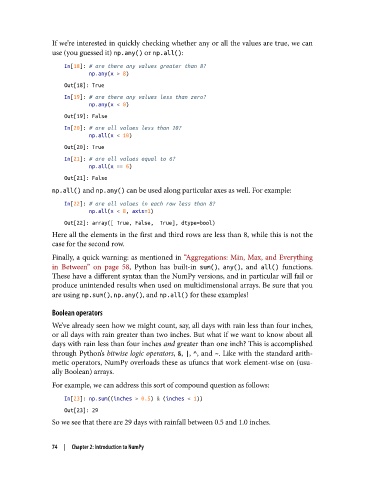
If we’re interested in quickly checking whether any or all the values are true, we can
               use (you guessed it) np.any() or np.all():

                   In[18]: # are there any values greater than 8?
                           np.any(x > 8)
                   Out[18]: True
                   In[19]: # are there any values less than zero?
                           np.any(x < 0)

                   Out[19]: False
                   In[20]: # are all values less than 10?
                           np.all(x < 10)
                   Out[20]: True
                   In[21]: # are all values equal to 6?
                           np.all(x == 6)
                   Out[21]: False
               np.all() and np.any() can be used along particular axes as well. For example:
                   In[22]: # are all values in each row less than 8?
                           np.all(x < 8, axis=1)
                   Out[22]: array([ True, False,  True], dtype=bool)
               Here all the elements in the first and third rows are less than 8, while this is not the
               case for the second row.
               Finally, a quick warning: as mentioned in “Aggregations: Min, Max, and Everything
               in Between” on page 58, Python has built-in sum(), any(), and all()  functions.
               These have a different syntax than the NumPy versions, and in particular will fail or
               produce unintended results when used on multidimensional arrays. Be sure that you
               are using np.sum(), np.any(), and np.all() for these examples!

               Boolean operators
               We’ve already seen how we might count, say, all days with rain less than four inches,
               or all days with rain greater than two inches. But what if we want to know about all
               days with rain less than four inches and greater than one inch? This is accomplished
               through Python’s bitwise logic operators, &, |, ^, and ~. Like with the standard arith‐
               metic operators, NumPy overloads these as ufuncs that work element-wise on (usu‐
               ally Boolean) arrays.

               For example, we can address this sort of compound question as follows:
                   In[23]: np.sum((inches > 0.5) & (inches < 1))
                   Out[23]: 29
               So we see that there are 29 days with rainfall between 0.5 and 1.0 inches.


               74  |  Chapter 2: Introduction to NumPy

