


Page 16 - 18-868 SEO PowerSuite Workflow_VPMGC
P. 16
SEO Workflow


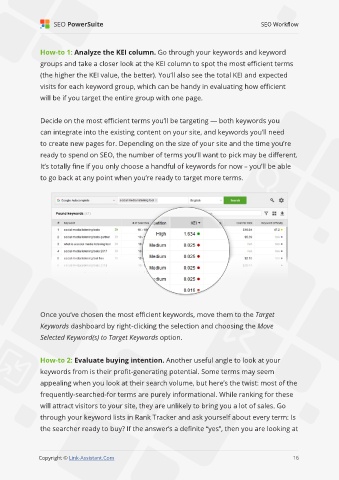
               How-to 1: Analyze the KEI column. Go through your keywords and keyword

               groups and take a closer look at the KEI column to spot the most efficient terms
               (the higher the KEI value, the better). You’ll also see the total KEI and expected

               visits for each keyword group, which can be handy in evaluating how efficient
               will be if you target the entire group with one page.


               Decide on the most efficient terms you’ll be targeting — both keywords you

               can integrate into the existing content on your site, and keywords you’ll need
               to create new pages for. Depending on the size of your site and the time you’re

               ready to spend on SEO, the number of terms you’ll want to pick may be different.
               It’s totally fine if you only choose a handful of keywords for now – you’ll be able

               to go back at any point when you’re ready to target more terms.


               Once you’ve chosen the most efficient keywords, move them to the Target
               Keywords dashboard by right-clicking the selection and choosing the Move

               Selected Keyword(s) to Target Keywords option.


               How-to 2: Evaluate buying intention. Another useful angle to look at your
               keywords from is their profit-generating potential. Some terms may seem

               appealing when you look at their search volume, but here’s the twist: most of the
               frequently-searched-for terms are purely informational. While ranking for these

               will attract visitors to your site, they are unlikely to bring you a lot of sales. Go
               through your keyword lists in Rank Tracker and ask yourself about every term: Is

               the searcher ready to buy? If the answer’s a definite “yes”, then you are looking at


                                                                                                             16

               Copyright © Link-Assistant.Com                                                           16

