


Page 17 - 18-868 SEO PowerSuite Workflow_VPMGC
P. 17
SEO Workflow


               a Buy Now keyword — these guys tend to convert like crazy.


               To help you evaluate buying intention, Google AdWords’ Cost Per Click can be

               a useful metric. Cost Per Click gives you a pretty solid idea of how well a term
               converts — basically, the higher the cost, the better it’ll sell. It’s pretty intuitive —

               the more an AdWords advertiser is paying per click, the more valuable that traffic
               must be for them.


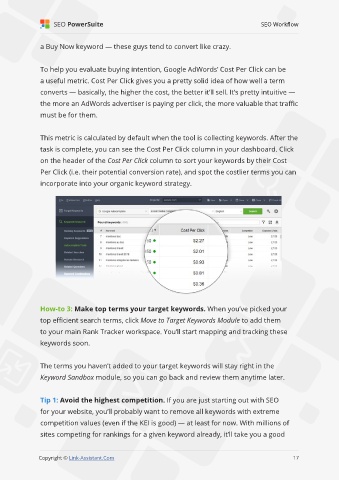
               This metric is calculated by default when the tool is collecting keywords. After the

               task is complete, you can see the Cost Per Click column in your dashboard. Click
               on the header of the Cost Per Click column to sort your keywords by their Cost

               Per Click (i.e. their potential conversion rate), and spot the costlier terms you can
               incorporate into your organic keyword strategy.


               How-to 3: Make top terms your target keywords. When you’ve picked your
               top efficient search terms, click Move to Target Keywords Module to add them

               to your main Rank Tracker workspace. You’ll start mapping and tracking these
               keywords soon.


               The terms you haven’t added to your target keywords will stay right in the

               Keyword Sandbox module, so you can go back and review them anytime later.


               Tip 1: Avoid the highest competition. If you are just starting out with SEO
               for your website, you’ll probably want to remove all keywords with extreme

               competition values (even if the KEI is good) — at least for now. With millions of
               sites competing for rankings for a given keyword already, it’ll take you a good

                                                                                                             17

               Copyright © Link-Assistant.Com                                                           17

