


Page 14 - Computing Book 7
P. 14
Data Handling                                                                        Class 7


               Common Error Messages – Identify the cause of the error

               If we do mistake while typing formulas. MS Excel will show you different types of errors relevant to
               the mistake we have made in a formula.
               The most common error messages are:
                ######
               This “message” appears when the column is not wide enough to display all of its content. You can
               correct it by increasing the width of the column to fit the content correctly.

               #DIV/0!
               This error message appears when you divide something by 0. You can correct it by changing the
               divider in the function or formula so it is not zero or blank.

               #NAME?
               This error message appears when you have typed a wrong formula and MS Excel cannot recognize it.
               You can correct it by typing the correct formula’s name.

               #VALUE! Error
               This error appears when your formula includes cells that contain text and numbers. You can correct
               it by correcting data types.


               Advanced Charts

               Charts in Excel
               A chart is a graphical representation of data and describes the overall analysis visually. There are
               several type charts in MS Excel for different sorts of data.

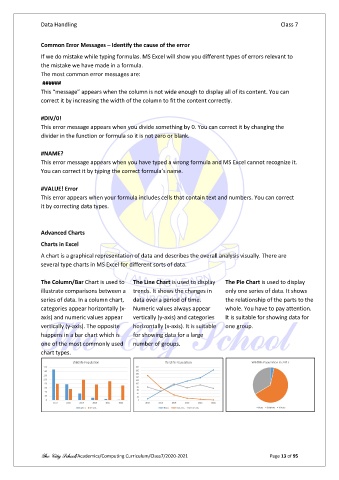
               The Column/Bar Chart is used to   The Line Chart is used to display   The Pie Chart is used to display
               illustrate comparisons between a  trends. It shows the changes in   only one series of data. It shows
               series of data. In a column chart,   data over a period of time.   the relationship of the parts to the
               categories appear horizontally (x-  Numeric values always appear   whole. You have to pay attention.
               axis) and numeric values appear   vertically (y-axis) and categories   It is suitable for showing data for
               vertically (y-axis). The opposite   horizontally (x-axis). It is suitable   one group.
               happens in a bar chart which is   for showing data for a large
               one of the most commonly used    number of groups.
               chart types.


               The City School/Academics/Computing Curriculum/Class7/2020-2021                  Page 13 of 95

