


Page 16 - Computing Book 7
P. 16
Data Handling                                                                        Class 7


               Conditional Formatting:

               Conditional formatting in Excel enables you to highlight cells with a certain colour, depending on the
               cell's value.

               Highlight Cells Rules
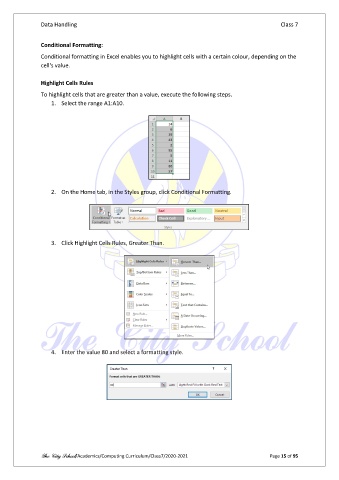
               To highlight cells that are greater than a value, execute the following steps.
                   1.  Select the range A1:A10.


                   2.  On the Home tab, in the Styles group, click Conditional Formatting.


                   3.  Click Highlight Cells Rules, Greater Than.


                   4.  Enter the value 80 and select a formatting style.


               The City School/Academics/Computing Curriculum/Class7/2020-2021                  Page 15 of 95

