


Page 26 - Computing book 6
P. 26
Document Creation                                                                    Class 6


               Apply Customized Font Effects on Text:

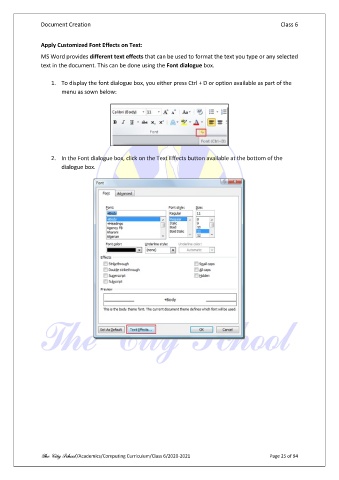
               MS Word provides different text effects that can be used to format the text you type or any selected
               text in the document. This can be done using the Font dialogue box.

                   1.  To display the font dialogue box, you either press Ctrl + D or option available as part of the
                       menu as sown below:


                   2.  In the Font dialogue box, click on the Text Effects button available at the bottom of the
                       dialogue box.


               The City School /Academics/Computing Curriculum/Class 6/2020-2021                Page 25 of 94

