


Page 69 - Computing book 6
P. 69
Handling Databases – MS Access                                                       Class 6


               Use of Data Types in a Database:

               Every  field  in  a  table  has  properties  and  these  properties  define  the  field's  characteristics  and
               behaviour. The most important property for a field is its data type. A field's data type determines what
               kind of data it can store. MS Access supports different types of data, each with a specific purpose.
               Here  are  some  of  the  most  common  data  types  you  will  find  used  in  a  typical  Microsoft  Access
               database.

                   Type of Data                                  Description

                                   Text or combinations of text and numbers, including numbers that do not
                    Short Text
                                   require calculating (e.g. phone numbers).
                    Long Text      Lengthy text or combinations of text and numbers.

                     Number        Numeric data used in mathematical calculations.
                    Date/Time      Date and time values for the years 100 through 9999.
                                   Currency values and numeric data used in mathematical calculations involving
                     Currency
                                   data with one to four decimal places.
                                   A unique sequential (incremented by 1) number or random number assigned
                   AutoNumber
                                   by Microsoft Access whenever a new record is added to a table.
                                   Yes and No values and fields that contain only one of two values (Yes/No,
                     Yes/No
                                   True/False, or On/Off).

               Organize and Create Tables:

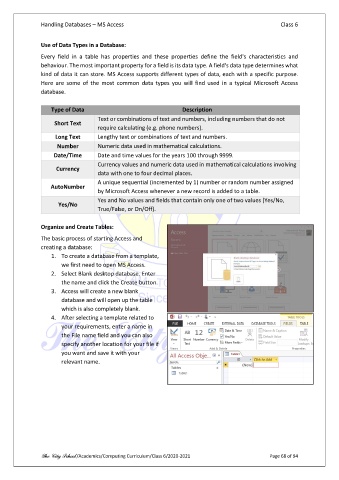
               The basic process of starting Access and
               creating a database:
                   1.  To create a database from a template,
                       we first need to open MS Access.
                   2.  Select Blank desktop database. Enter
                       the name and click the Create button.
                   3.  Access will create a new blank
                       database and will open up the table
                       which is also completely blank.
                   4.  After selecting a template related to
                       your requirements, enter a name in
                       the File name field and you can also
                       specify another location for your file if
                       you want and save it with your
                       relevant name.


               The City School /Academics/Computing Curriculum/Class 6/2020-2021                Page 68 of 94

