


Page 15 - Computing Book 4
P. 15
Creating a Document                                                                  Class 4


               Delete Rows and Columns from a Table:

                   1.  Place the insertion point in the row or column you want to delete.
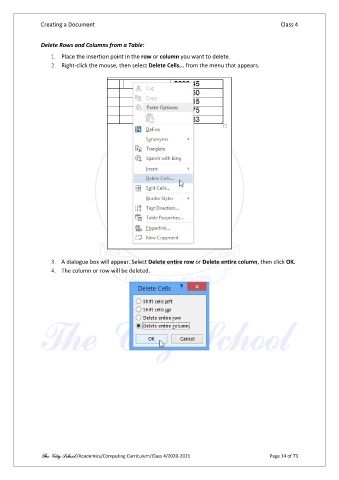
                   2.  Right-click the mouse, then select Delete Cells... from the menu that appears.


                   3.  A dialogue box will appear. Select Delete entire row or Delete entire column, then click OK.
                   4.  The column or row will be deleted.


               The City School /Academics/Computing Curriculum/Class 4/2020-2021                Page 14 of 73

