


Page 41 - Computing Book 5
P. 41
Presenting Your Ideas                                                                Class 5


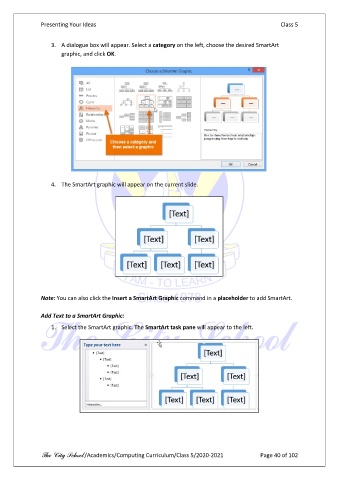
                   3.  A dialogue box will appear. Select a category on the left, choose the desired SmartArt
                       graphic, and click OK.


                   4.  The SmartArt graphic will appear on the current slide.


               Note: You can also click the Insert a SmartArt Graphic command in a placeholder to add SmartArt.

               Add Text to a SmartArt Graphic:
                   1.  Select the SmartArt graphic. The SmartArt task pane will appear to the left.


               The City School /Academics/Computing Curriculum/Class 5/2020-2021            Page 40 of 102

