


Page 45 - Computing Book 5
P. 45
Presenting Your Ideas                                                                Class 5


               Change the Chart Type:

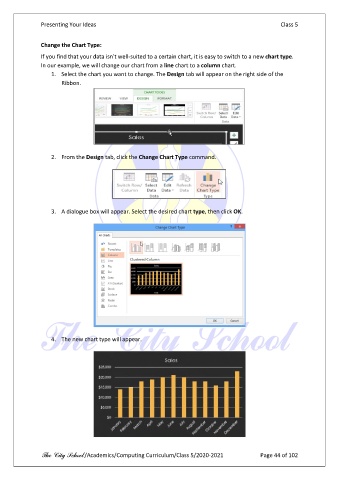
               If you find that your data isn't well-suited to a certain chart, it is easy to switch to a new chart type.
               In our example, we will change our chart from a line chart to a column chart.
                   1.  Select the chart you want to change. The Design tab will appear on the right side of the
                       Ribbon.


                   2.  From the Design tab, click the Change Chart Type command.


                   3.  A dialogue box will appear. Select the desired chart type, then click OK.


                   4.  The new chart type will appear.


               The City School /Academics/Computing Curriculum/Class 5/2020-2021            Page 44 of 102

