


Page 275 - Basic Course
P. 275
KNX BASIC COURSE


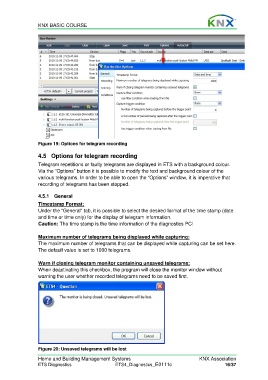
                  Figure 19: Options for telegram recording

                  4.5  Options for telegram recording

                  Telegram repetitions or faulty telegrams are displayed in ETS with a background colour.
                  Via the “Options” button it is possible to modify the text and background colour of the
                  various telegrams. In order to be able to open the “Options” window, it is imperative that
                  recording of telegrams has been stopped.


                  4.5.1 General
                  Timestamp Format:
                  Under the “General” tab, it is possible to select the desired format of the time stamp (date
                  and time or time only) for the display of telegram information.
                  Caution: The time stamp is the time information of the diagnostics PC!

                  Maximum number of telegrams being displayed while capturing:
                  The maximum number of telegrams that can be displayed while capturing can be set here.
                  The default value is set to 1000 telegrams.

                  Warn if closing telegram monitor containing unsaved telegrams:
                  When deactivating this checkbox, the program will close the monitor window without
                  warning the user whether recorded telegrams need to be saved first.


                  Figure 20: Unsaved telegrams will be lost

                  Home and Building Management Systems                                    KNX Association
                  ETS Diagnostics                   ETS4_Diagnostics_E0111c                          16/37

